Returns management in an online shop rarely starts with a plan. It usually starts with an email: “The jacket doesn’t fit, how do I send it back?” As long as that happens twice a month, the inbox will do. Once it happens twice a day, you need a fixed process.
- Every return goes through the same five steps: registration, review, return shipping, goods receipt, completion.
- Withdrawal and complaint are two different cases with different periods and costs.
- Missing details in the request cost the most time. A form with required fields solves that.
- Only the booked goods receipt tells you what really came back.
- A returns portal keeps request, label, slip and history in one place.
What is part of returns management?
Returns management is everything that happens between “I’d like to return this” and the settled refund. That covers accepting the request, deciding about return shipping, checking the goods and the question of what happens to them afterwards.
Most shops have no dedicated process for this, just a mix of inbox, spreadsheet and memory. That works until two parcels without a sender sit in the warehouse and nobody knows which order they belong to.
Withdrawal or complaint: why does the difference matter?
With a withdrawal the customer simply does not want to keep the goods. Under German and EU consumer law they have two weeks from receipt to do so, and many merchants voluntarily grant more. The cost of sending the goods back is generally borne by the customer if you informed them before the purchase. Whether you cover it anyway is your decision and often a selling point.
With a complaint something is wrong with the goods: defective, damaged or the wrong item. The withdrawal period plays no role here. The statutory warranty of two years applies, and the return shipping usually goes on your account.
If you lump both cases together, you either pay return postage you would not have to pay or reject returns you have to accept. That is why the request itself should ask for the reason. This section is an overview from practice and does not replace legal advice.
Which steps does a return have?
1. Registration. The customer names order, item, quantity and reason. The more complete these details are, the fewer questions you need to ask.
2. Review. You decide whether to accept the return. For that you need to know whether it is a withdrawal or a complaint and whether the period was kept.
3. Return shipping. The customer receives a slip for the parcel and, if you cover the shipping, a return label.
4. Goods receipt. You check what is in the parcel. Is the quantity right? What condition are the goods in?
5. Completion. The customer gets the money back, and you decide whether the goods go back on sale, back to the supplier or to another buyer.
A return is only done when the goods are checked and the money is settled. Not when the email is answered.
Import2Shop guide
Which mistakes cost the most time with returns?
Informal requests. A free-form email almost always lacks something: the order number, the item or the reason. Every question back adds a day.
Working out periods in your head. When did the goods leave, when did they arrive, when did the customer get in touch? If you piece that together for every case, you end up deciding by gut feeling.
Labels by hand. Creating a return label in the carrier portal, downloading it and emailing it takes only minutes per case. With many cases it adds up.
No overview of open parcels. Days can pass between approval and goods receipt. Without a list nobody knows what is still on its way.
Dropshipping returns without a plan. If the stock sits with the supplier and not with you, it has to be clear where the customer sends the parcel and when the supplier issues the credit.
What does a returns portal do for you?
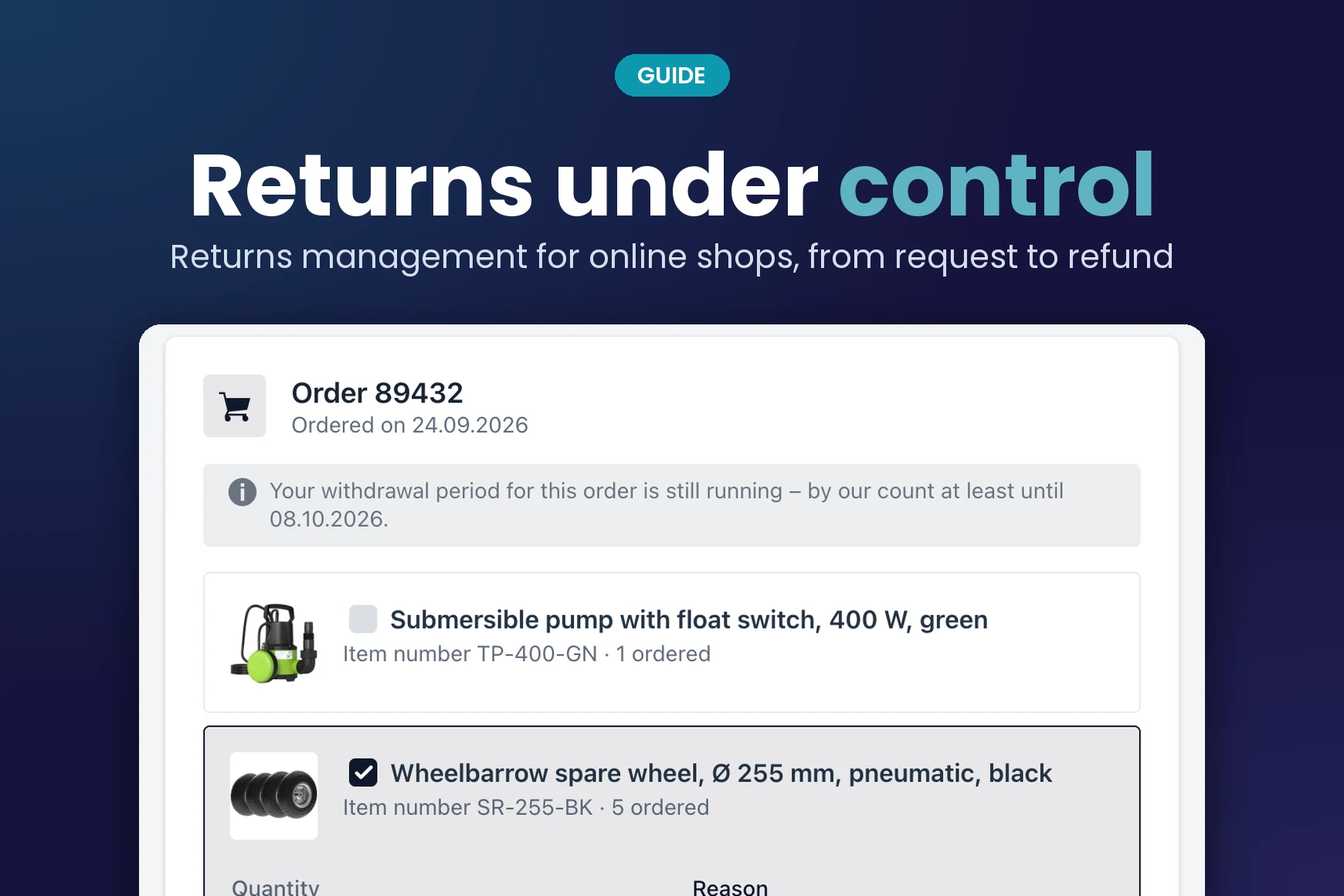
A returns portal replaces the informal email with a guided request. The customer enters order number and postal code, sees the order and picks items, quantity and reason. You get a complete case instead of a message you first have to interpret.
In the Import2Shop returns portal it looks like this: you define the return reasons yourself and set for each one whether it is a withdrawal or a complaint. During review the app shows on which day of the period the customer registered. If you approve, the return slip and, if wanted, a DHL label go out by email. When the parcel arrives, you book the goods receipt and decide per item where the goods go.
The portal carries your logo and colour, runs in German and English and works for every connected shop, whether you ship your own stock or sell via dropshipping.
What happens to the returned goods?
The goods receipt is not the end. Goods that come back in perfect order can go back on sale. In dropshipping they usually go back to the supplier, and the case stays open until the credit note is in.
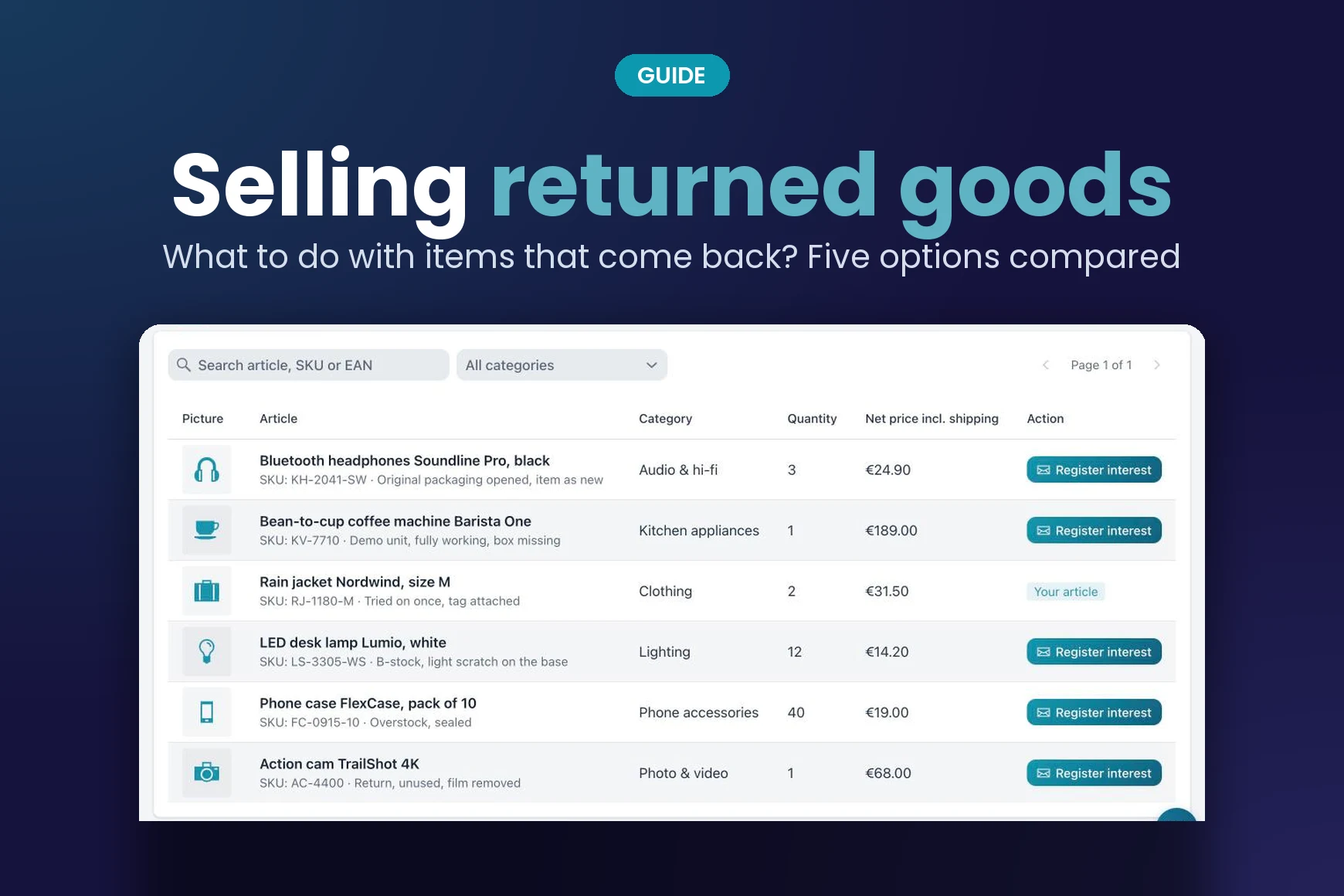
For everything in between, such as opened packaging or single pieces, Import2Shop has the returns marketplace. There you offer returned goods to other merchants instead of leaving them on the shelf.
Frequently asked questions
What is returns management?
The whole process of a return: registration by the customer, review by the merchant, return shipping, goods receipt and completion with the refund.
Who pays for return shipping in a withdrawal?
Generally the customer, if the merchant pointed this out before the purchase. Many merchants cover the cost voluntarily. For complaints the merchant usually pays.
Do I have to accept a return after the withdrawal period has ended?
Not for a withdrawal. If the goods are defective or the wrong item was delivered, the withdrawal period plays no role and the warranty applies.
Do customers need a shop account for a returns portal?
No. In the Import2Shop returns portal the order number and the postal code of the delivery address are enough.
How do returns work in dropshipping?
The customer registers the return with you. After the goods receipt the goods go back to the supplier, and the case stays open until the supplier’s credit note has arrived.

Wholesaler integration: build it yourself or use software?
Connecting a wholesaler to your online shop: a custom build is quick to estimate and slow to pay off. What an integration really involves, what it costs compared with an AI subscription and your own time, where customer data ends up and when ready-made software is the better choice.
Selling Returned Goods: What to Do with Items That Come Back
Selling returned goods instead of storing them: five options for items that come back, what matters about the condition and how merchants pass returns on to each other.
Create Product Bundles: Stand Out with Your Own Sets
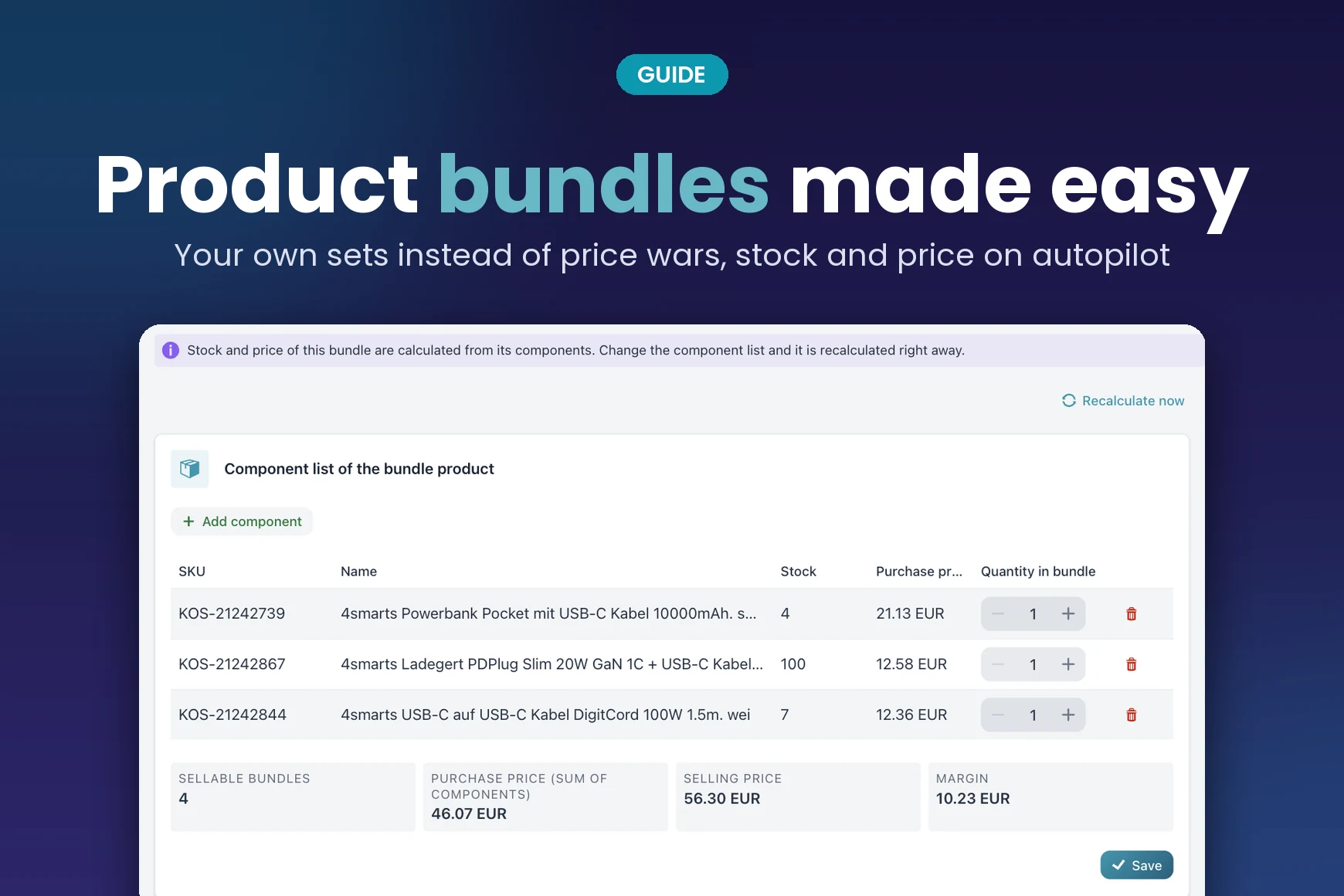
Create product bundles and step out of the price war over identical listings: bundle types, common pitfalls with stock and margin, and how to keep sets clean in your online shop.
The returns portal is included in every Import2Shop plan. See how request, label and goods receipt come together.