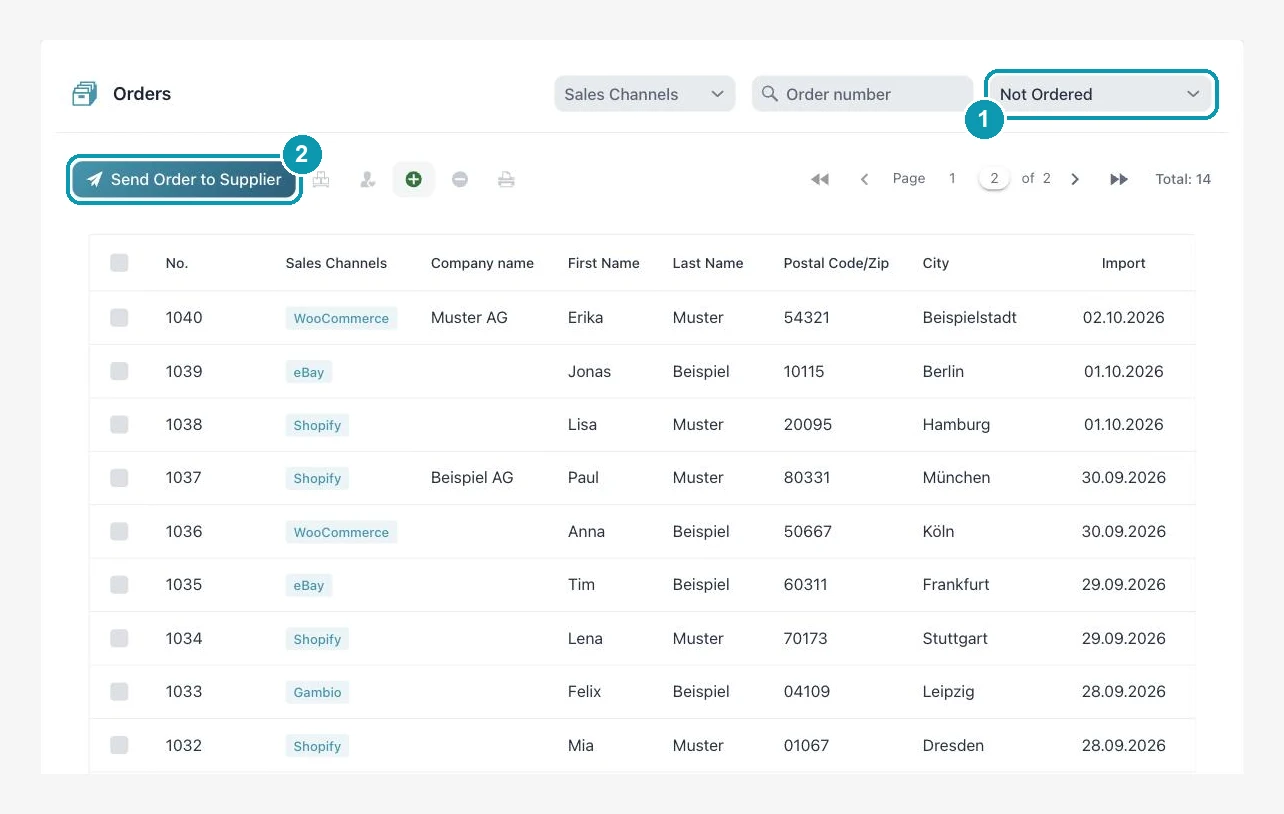
Import2Shop fetches orders from your shop and from eBay, passes them to the wholesaler and reports the tracking number back to the shop. You do that by click, or the auto-order module does it without you.
Automatic in the background, switchable per channel, from a date of your choice
Handover to wholesaler
By click for one or several orders, or automatically with the auto-order module
Tracking
Fetched from the wholesaler, reported back to the shop, manual entry possible
Shipping label
DHL Paket, Kleinpaket, Paket International and Europaket with your own DHL business contract
Order status in the shop
Status after pickup and after shipping can be set
Protective limit
Maximum number of new orders per pickup, above that the import stops
Cost
Order import is free of charge, auto-order is an add-on module
Stop manual work – automate now!
Automate product imports, price calculation, and inventory in minutes instead of hours. Over 50,000 product updates daily – fully automated. More time for what really matters: your business.
From Shopify, WooCommerce, Shopware and Gambio and from eBay. You switch pickup on per channel.
Does the order go to the wholesaler automatically?
With the auto-order add-on module, yes, switchable per wholesaler. Without the module you send orders by click, several at once if you like.
How does the tracking number get into my shop?
The app fetches it from the wholesaler or you enter it. If reporting back is switched on, shipping and tracking go to the shop and the order status is updated.
What happens if an order contains items from two wholesalers?
The positions are split by wholesaler. Each wholesaler only receives its own items.
Can I print shipping labels from the app?
Yes, DHL labels with your own DHL business customer contract, for several orders at once if needed.
What does order processing cost?
Order import is free of charge. Auto-order is an add-on module. You find the plans on the pricing page.
Work through orders without retyping them
Have a look at the plans or talk to us about which wholesalers you want to connect.