Shopify dropshipping is an e-commerce model where you sell products in your Shopify store without holding any stock yourself. When a customer orders, you pass the order to your wholesaler, who ships directly to the customer. Shopify provides the store, the checkout and the admin, your supplier provides the goods.
This guide shows you whether Shopify dropshipping is worth it, what it costs, how Shopify compares to other shop systems and how to get started in five steps.
What is Shopify dropshipping?
With dropshipping you never buy stock up front. You list your wholesaler’s products in your store, market them and handle customer service. Your supplier takes care of shipping.
Shopify is your storefront and your control center: product catalog, orders, payment and customer communication all run in one place. The inventory and shipping risk stays with the wholesaler, and your capital outlay starts low because you only pay for goods after a sale.
Why Shopify for dropshipping? The advantages
Shopify is a hosted shop system (software as a service). You rent the platform and never have to deal with the technology behind it. For dropshippers, these points matter most:
- No infrastructure of your own: No hosting, no servers, no security updates. Shopify keeps the store and checkout running, you work on the business.
- Fast start without coding: Pick a theme, add products, done. A sales-ready store can be live in a day.
- Large app ecosystem: For supplier connections, marketing, accounting and support you will find ready-made extensions in the Shopify App Store.
- Scales with you: Whether 10 or 10,000 products, a quiet Tuesday or Black Friday, the platform absorbs traffic spikes automatically.
- Conversion-friendly checkout: Shopify Payments, common payment methods and a mobile-optimized checkout are built in.
Shopify vs. other shop systems for dropshipping
Shopify is not the only system that works for dropshipping. The main alternatives in the German-speaking market are WooCommerce, Shopware and Gambio. They differ mostly in how much technology you handle yourself and where the running costs sit.
Shopify
- Hosting: Hosted (SaaS), included
- Base cost: from €36/month (Basic)
- Transaction fee: 0.6 to 2% without Shopify Payments
- Technical effort: very low
- Dropshipping fit: very good, fast entry
WooCommerce
- Hosting: Self-hosted, your own web space required
- Base cost: plugin is free, costs for hosting and plugins
- Transaction fee: no system-level fee
- Technical effort: high (updates and security on you)
- Dropshipping fit: very good, full data ownership
Shopware
- Hosting: Self-hosted or cloud edition
- Base cost: free community edition, cloud from a subscription
- Transaction fee: no system-level fee
- Technical effort: medium to high
- Dropshipping fit: good, strong with large catalogs
Gambio
- Hosting: Self-hosted or rental shop
- Base cost: from approx. €25/month (rental shop)
- Transaction fee: no system-level fee
- Technical effort: medium
- Dropshipping fit: good, affordable German entry point
In short: Shopify wins when you want to start fast and without technical overhead. WooCommerce is strong if low system costs and full data ownership matter to you, but you have to handle hosting and maintenance yourself. Shopware plays to its strengths with large catalogs, and Gambio is an affordable entry point from Germany. Import2Shop connects all four systems, so supplier automation works regardless of your choice.
What does Shopify dropshipping cost?
The costs come from four building blocks: the Shopify plan, transaction or payment fees, apps and the wholesale purchase from your supplier. The Shopify plans in Germany:
- Basic: €36/month, €25/month with annual billing, fee without Shopify Payments 2.0%
- Grow: €105/month, €66/month with annual billing, fee without Shopify Payments 1.0%
- Advanced: €384/month, €289/month with annual billing, fee without Shopify Payments 0.6%
All Shopify prices as of June 2026. Shopify adjusts plans and fees regularly, so check the current terms on the official Shopify pricing page.
If you use Shopify Payments, the transaction fee is waived. Instead you pay card fees, 2.1% plus €0.30 per sale on Basic, 1.8% on Grow and 1.6% on Advanced. Anyone using an external payment provider pays the Shopify fee listed above on top. That is the most common hidden cost in Shopify dropshipping.
On top of that come apps, many of which charge a monthly fee, plus your margin. With dropshipping the gross margin usually sits between 15 and 30% depending on the niche. Factor in advertising costs from the start, otherwise marketing eats your profit.
How to start Shopify dropshipping: in 5 steps
- Set up your Shopify store: choose a plan, pick a theme, connect a domain, define payment methods and shipping rules.
- Decide on a niche and products: focus on a clear target group instead of a bit of everything. That makes marketing and positioning easier.
- Connect suppliers: find reliable wholesalers and import their product data into your store. What to look for is covered below.
- Make your store legally compliant: set up your legal notice, terms, privacy policy and right-of-withdrawal information, and activate payment providers.
- Launch and market: build traffic with social ads, SEO or influencer collaborations and test your first sales.
By step 3 at the latest, data maintenance becomes the bottleneck. That is exactly where automation comes in, more on that below.
Finding products and suppliers for your Shopify store
Your supplier decides delivery reliability, margin and legal certainty. EU wholesalers ship in 1 to 3 working days instead of 3 to 6 weeks, work in line with GDPR and supply CE-certified goods without customs or import hassle.
For a sorted overview of suitable providers by product range, see our guide to dropshipping wholesalers and suppliers.
Legal compliance in the EU (as of 2026)
Legal mistakes can end your Shopify dropshipping fast. Get these four points right from the start:
- Legal notice and terms: complete and adapted to your dropshipping structure.
- GDPR: be transparent about which customer data is passed to the supplier.
- Right of withdrawal: 14 days return policy, organizing the return is on you.
- VAT (OSS): for sales to private customers within the EU, the destination country’s rate applies.
Automating your catalog and orders
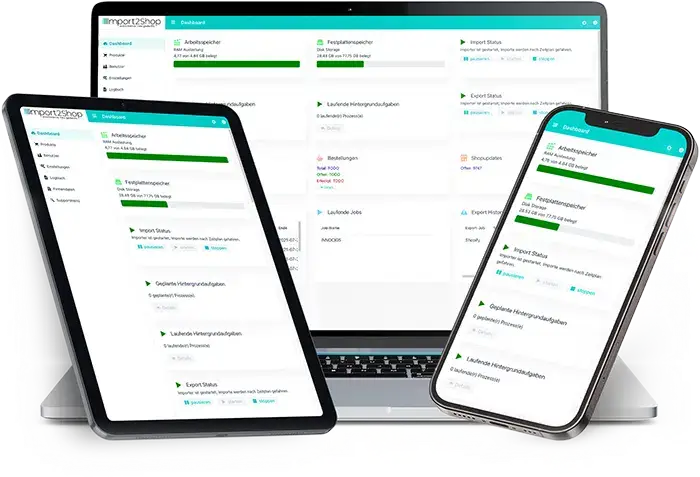
As your store grows, manual data work costs more and more time: importing products, updating prices, deactivating sold-out items, forwarding orders. Import2Shop handles these tasks automatically, connects to your store through the Shopify interface and syncs products, prices and stock, while orders go straight to the wholesaler.
In practice that means automated order processing and a rule-based price calculation that updates your selling price whenever the purchase price changes.

Shopify Dropshipping: Frequently Asked Questions
Can I do dropshipping with Shopify?
Yes. Shopify is very well suited to dropshipping. You connect suppliers through apps or an interface and sell their products without holding stock.
Is dropshipping with Shopify worth it?
Dropshipping with Shopify is worth it when you have a clear niche, reliable suppliers and well-planned marketing. The low capital outlay reduces the startup risk, and profit comes from margin minus advertising costs.
What is the catch with dropshipping?
Margins are often thinner than in classic retail, and you hand over control of delivery time and product quality. EU suppliers with short shipping routes and a clean legal setup defuse both risks.
How much can you earn with Shopify dropshipping?
That depends on niche, margin and advertising budget. With a gross margin of 15 to 30%, your net profit is what remains after Shopify fees, apps and advertising. Expect a gradual build-up, not quick riches.
How much does Shopify cost for dropshipping?
Entry starts at €36 per month on the Basic plan (€25 with annual billing). On top come transaction or card fees, app costs and the wholesale purchase. The current plans are on the Shopify pricing page.
Do I need an app for Shopify dropshipping?
Not necessarily. The supplier connection can run through apps or cloud-based via the official Shopify API, for example with Import2Shop, with no app to install.